ADA & WCAG Compliance · For Small Business
Since 2006 · 100+ sites shipped · Missouri studio, nationwide delivery
A clear audit, real code fixes to WCAG 2.1 AA, a published accessibility statement, and optional monitoring so the site does not drift back out of shape. No overlay tricks. No endless retainer. Fixed-fee pricing in writing. A small studio at the Lake of the Ozarks working with small businesses across the country. Call (573) 746-2417.
Courts across the country have interpreted the Americans with Disabilities Act to apply to websites as "places of public accommodation." That means a small business site that is not usable by somebody with a visual, motor, hearing, or cognitive disability can become the target of a demand letter or lawsuit. Filings against small local businesses have surged in recent years, and the settlements are not small.
Beyond the legal exposure, between 20 and 25 percent of adults in the United States live with some form of disability. An inaccessible site quietly turns away a share of your potential customers every day. Fixing it is both the right thing to do and a real business improvement. We take a practical approach: clear audit, realistic remediation plan, real code fixes, a published accessibility statement, and optional monitoring. No scare tactics.
Automated scanning (axe-core, WAVE, Lighthouse) plus hands-on keyboard and screen-reader testing with VoiceOver and NVDA. Plain-English report you can hand to any developer.
Alt text, heading structure, labeled forms, color contrast, keyboard focus order, ARIA where it earns its keep. Real fixes, not a script that overlays them.
A tasteful viewer-side widget for text size, high contrast, link underlines, or motion reduction. Not a replacement for real fixes. A useful extra.
A clear published statement that explains your commitment, what has been done, how visitors can report issues, and how to reach you.
Sites drift. A plugin update or new post can quietly break what used to work. Optional monitoring catches regressions and re-audits every six to twelve months.
Every fix logged with before-and-after notes tied to the WCAG success criterion. Documentation is often more important than any single fix.
Real code fixes in the site, not a script that overlays it.
Remediation is where compliance work either succeeds or quietly fails, because remediation done as a script overlay does not hold up in court and does not improve the experience for real users. Real code fixes look like this:
Every remediation project comes with a written before-and-after report so you can point to specific fixes if a demand letter shows up. That documentation is often more important than any single fix.
WCAG 2.1 AA applies the same way regardless of platform, but the tooling and constraints vary. Here is the short version per platform.
Most flexible platform for accessibility work because everything is in your control: theme, plugins, custom code. Compliance issues usually come from the theme (color contrast, heading structure) or a page-builder plugin generating non-semantic markup. Sites we build ourselves ship WCAG 2.1 AA compliant. Sites we take over usually need a theme audit plus a plugin review before real remediation starts.
Theme quality varies widely. The default Dawn theme is reasonably accessible; many paid themes are not. We audit in place, patch inside the Shopify theme editor, and use Liquid overrides for pieces that need custom work. Third-party Shopify apps (popups, quick-view modals, upsell widgets) often need to be replaced or wrapped.
Both platforms have improved on accessibility recently, but neither is compliant out of the box for most templates. Squarespace lets you inject some custom code but restricts deep markup changes. Wix gives more editing surface with less predictable rendering. Real remediation usually means simplifying the design, replacing custom widgets, and publishing a proper accessibility statement.
The GoDaddy Websites + Marketing product (not GoDaddy-hosted WordPress) has the most limited customization surface. Basic accessibility is achievable through the editor. Deeper compliance work usually means migrating off the builder to WordPress. If migration is out of scope, we improve what is fixable in place and provide a defensible accessibility statement.
Custom builds (React, Vue, Astro, Next.js, custom PHP) are usually easiest to remediate because everything is in the code. The catch is that many ship inaccessible from day one because the developer optimized for visual delivery, not for screen readers. We audit, refactor components as needed, and add automated a11y tests to the build so regressions get caught in CI.
Three checks, all free, all take under an hour combined. If any of them surface problems, the site is not fully ADA compliant. That does not mean you get sued tomorrow. It means there is real work to do and real risk in the meantime.
Run your homepage through WAVE, axe DevTools, or Google Lighthouse. If you see more than a handful of errors, you have work to do. Automated tools catch about a third of real violations.
Put the mouse down. Use Tab, Shift-Tab, Enter, Space, and arrows. Reach every link, open the menu, submit the form. If you get stuck anywhere, that spot is broken for keyboard-only users.
On Mac, turn on VoiceOver (Cmd+F5) and listen. On Windows, download NVDA. Ten minutes reveals more real issues than any automated tool.
If any of those steps reveal problems, we can help. Full audit and written report is the first thing we do on every project.
Every project is a flat fee in writing after a quick initial audit. A small business site (10 to 25 pages) with typical issues usually lands in the low to mid four figures for full remediation plus an accessibility statement. Larger sites (50-plus pages, WooCommerce stores, multi-site networks) scale up from there. Optional monitoring is a small monthly fee on top.
We do not guarantee you will never be sued. Nobody can, and anyone promising that is selling something. What we deliver is a strong, defensible good-faith effort that substantially reduces your exposure and genuinely helps your visitors.
Overlay tools alone are not the answer. Those one-line JavaScript widgets that promise "instant ADA compliance" have been criticized by accessibility advocates and have themselves been the subject of lawsuits. Real compliance starts in the code and content, not a floating icon.
We are not lawyers. For legal advice about your specific risk, talk to an attorney. We happily coordinate with yours on any technical questions.
Recent work
A sample from the portfolio. Every one of these is a site we designed, built, or are actively maintaining today.
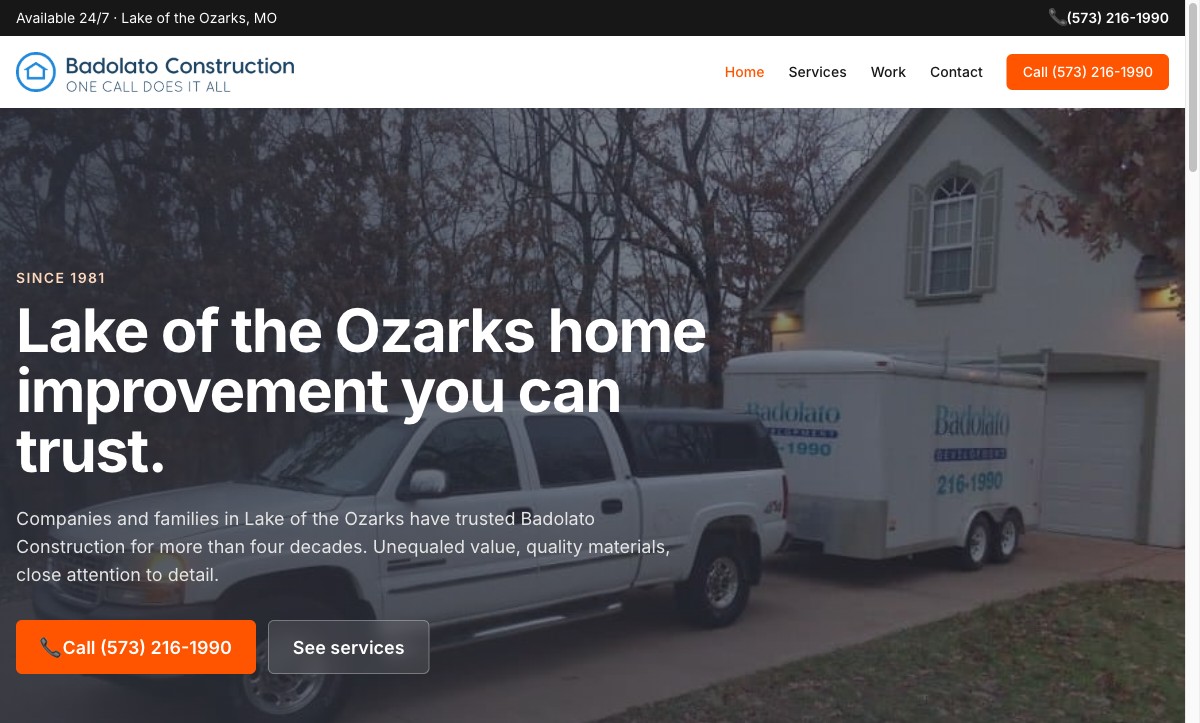
Home improvement · Lake of the Ozarks
A local family-owned home improvement company, in business since 1981. We built a simple, trust-first site with call-now CTAs and plain service pages.
badolatoconstruction.com →
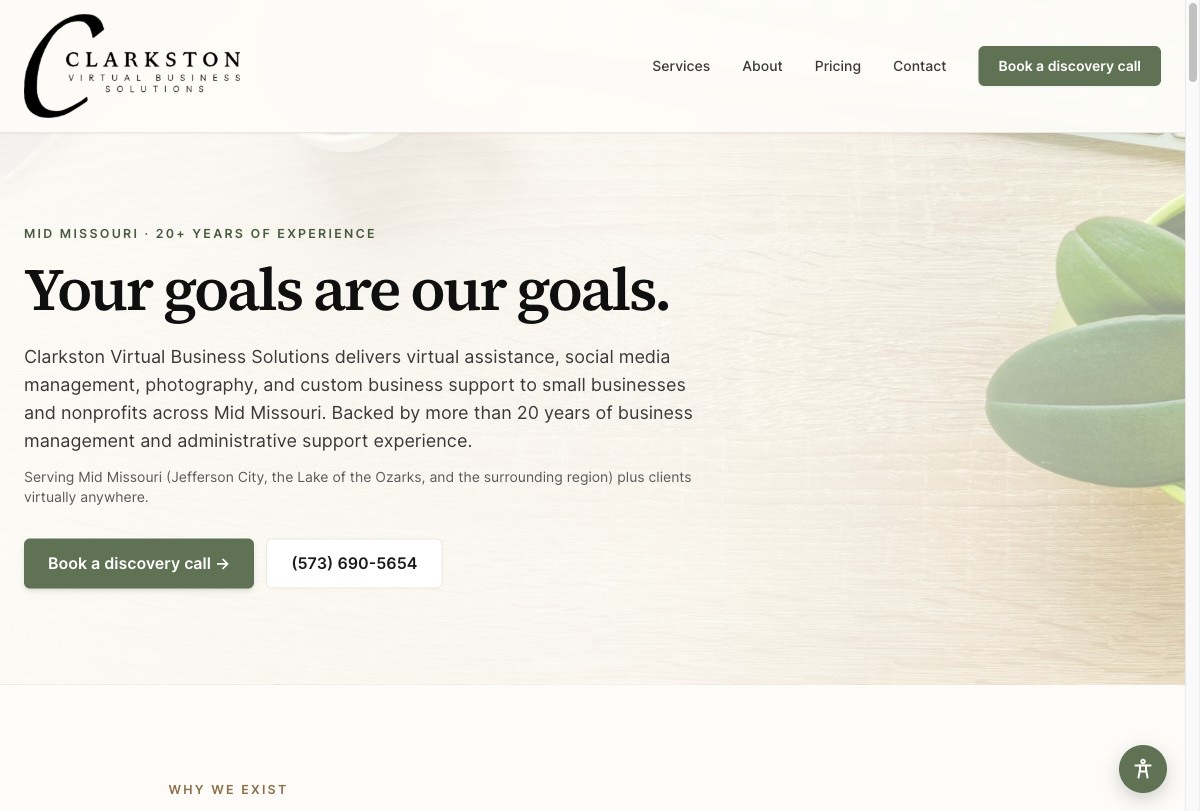
Virtual bookkeeping · Eugene, MO
A husband-and-wife virtual bookkeeping and admin firm in Eugene, Missouri. Single-page WordPress site, custom theme, contact form straight to the owner.
goclarkston.com →
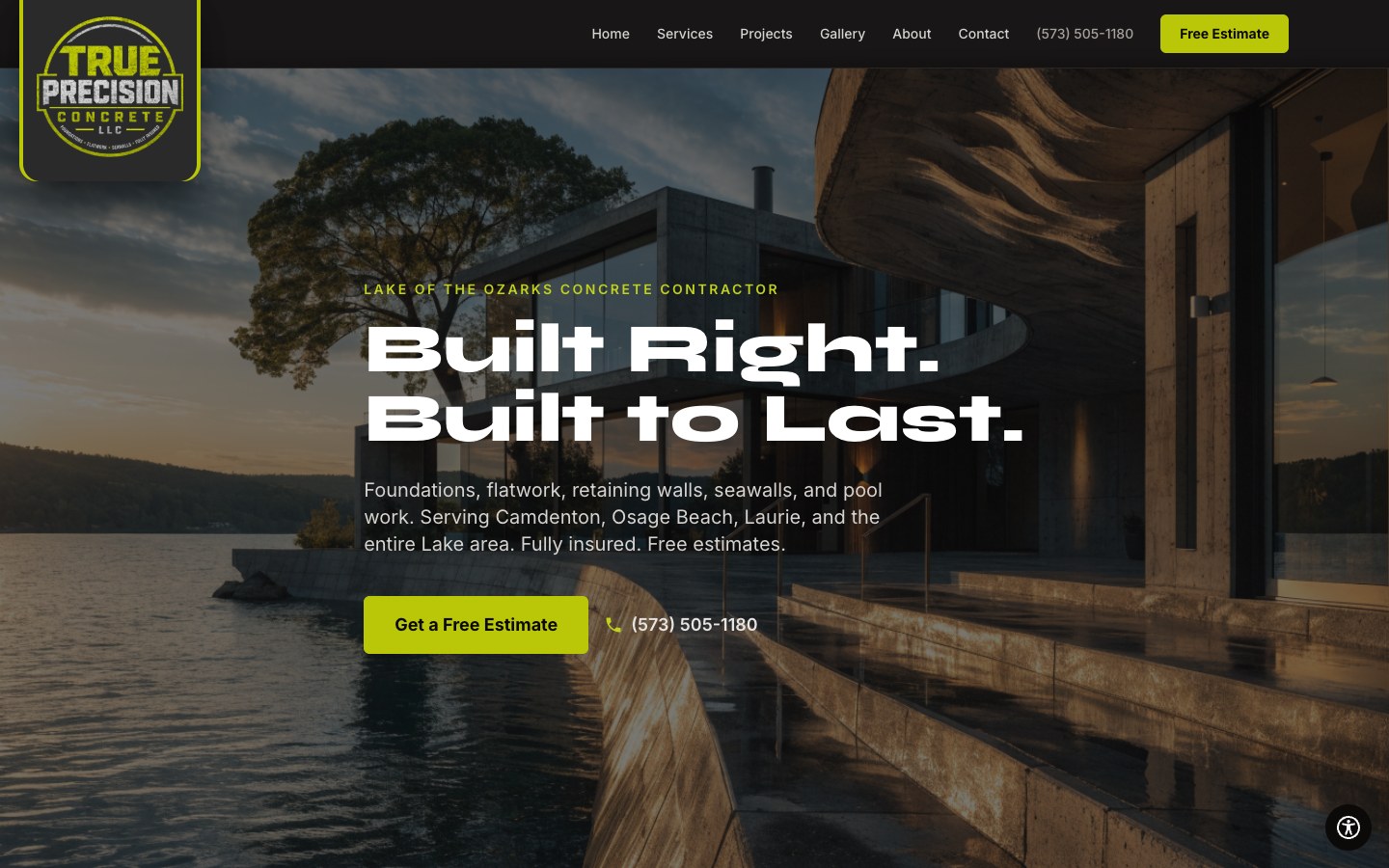
Concrete contractor · Lake of the Ozarks
A Lake of the Ozarks concrete contractor. Full site with project gallery, lightbox, service pages, and a contact form straight to the owner.
trueprecisionloz.com →
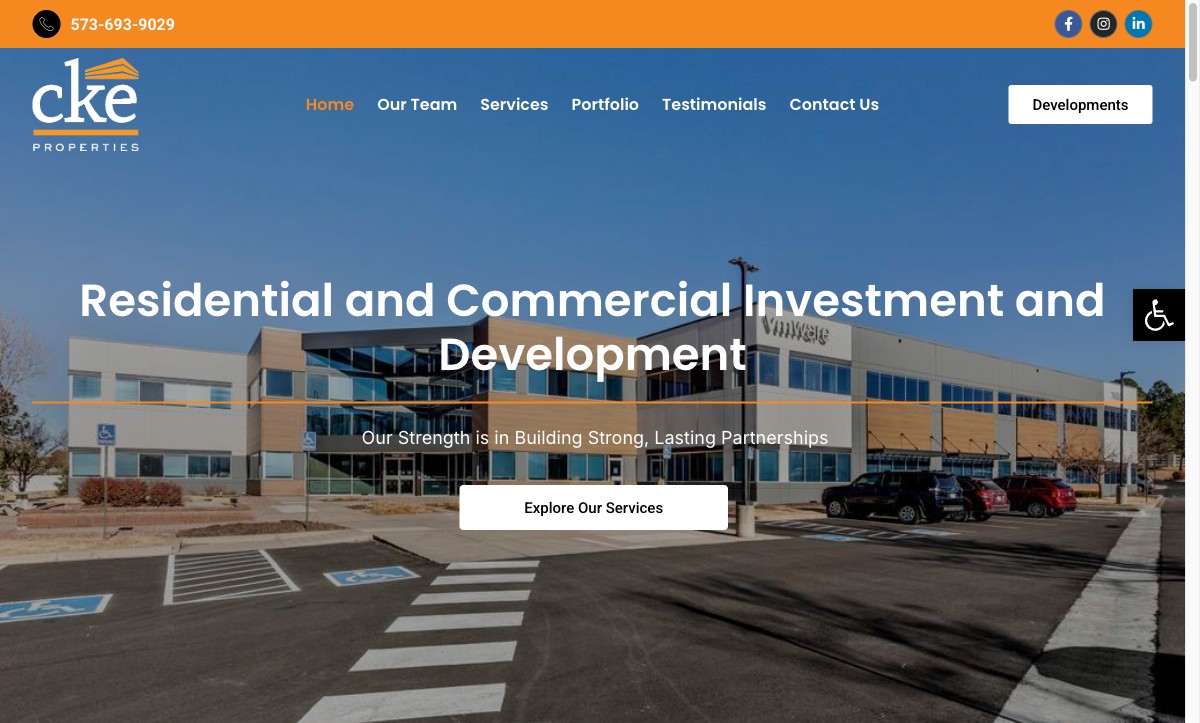
Real estate · Lake Ozark
Residential and commercial development here at the Lake. A clean, serious site that's easy to update and fast on a phone.
ckeproperties.com →

Ready to talk?
Curious how accessible your current site is? We take a quick look and tell you honestly where you stand. Fixed-fee pricing in writing before any remediation starts.
FAQ
The federal Title II rule (state and local government websites) carries a compliance deadline in April 2026 for larger public entities and April 2027 for smaller ones. For private businesses, there is no single federal deadline, but courts already treat WCAG 2.1 AA as the working standard, and lawsuits against non-compliant business websites have been climbing every year since 2018. The practical answer for most small businesses: get it handled now, not after a demand letter shows up.
Title II covers state and local government, public schools, public libraries, transit, and other public entities. If you run a city, county, school district, or agency that takes public funds, the 2026/2027 WCAG 2.1 AA deadline applies to you. Private businesses fall under Title III, which does not have a calendar deadline but is the basis for most of the lawsuits you see in the news. Either way, the fix is the same: get to WCAG 2.1 AA and document what you did.
Yes. WAVE (wave.webaim.org), axe DevTools, and Google Lighthouse all give a first pass on automated issues. Be careful though: automated tools catch maybe a third of real problems. They flag the easy stuff (missing alt text, low contrast, missing labels) but miss the things that actually cause lawsuits (keyboard traps, broken focus order, screen-reader logic). A real audit always includes hands-on keyboard and screen-reader testing on top of the automated scans.
No honest vendor can guarantee lawsuit-proof compliance. Accessibility is an ongoing effort, and there is no certification body that formally approves a site as "compliant" for legal purposes. What we deliver is a substantial good-faith effort aligned with WCAG 2.1 AA and the documentation to back that up.
A small business site (10 to 25 pages) with typical issues usually lands in the low to mid four figures for full remediation plus an accessibility statement. Larger sites (50-plus pages, WooCommerce stores, multi-site networks) scale up. Every quote is a flat fee in writing after we complete the initial audit, so there are no surprises. Optional monitoring is a small monthly fee on top.
Yes. Most of our accessibility work is on sites we did not originally build. As long as we have access to the site (admin or developer credentials), we can audit and remediate. WordPress, Squarespace, Wix, Shopify, custom builds, all fair game.
Three layers: automated scanning across every unique page template (axe-core, WAVE, Lighthouse), manual keyboard-only navigation testing on the main user flows, and screen-reader testing with VoiceOver and NVDA on the same flows. Every finding is documented with the WCAG success criterion it violates, its severity, and a fix recommendation. If you engage us for remediation, the audit fee applies as a credit.
Where we work
Every accessibility audit and remediation project is delivered remotely. Same audit, same code-level fixes, same statement, same fixed-fee pricing whether the client is next door or three time zones away. We work with small businesses across the country. Our physical studio is at the Lake of the Ozarks, so the Missouri metros below get a slightly higher concentration of our work (and the option of an in-person site visit if it matters).
Camdenton, Osage Beach, Lake Ozark, Sunrise Beach, Laurie, Eldon. Our home studio. Restaurant sites, retail, contractors, boat rentals, hospitality. Same-day site visits available.
Kansas City, Independence, Blue Springs, Lees Summit, Liberty, Gladstone, Kearney. Small-business accessibility work for KC-area professional services, retail, and nonprofits.
St. Louis, Chesterfield, Wildwood, Ballwin, Kirkwood, St. Charles, O'Fallon, Wentzville. StL small-business ADA remediation on WordPress, Squarespace, Shopify, and custom builds.
Springfield, Nixa, Ozark, Republic, Branson. Southwest Missouri accessibility work for churches, tourism, service businesses, and healthcare practices.
Columbia, Ashland, Fulton, Boonville, Moberly. Mid-MO accessibility work for university-adjacent businesses, professional services, and county-government-adjacent nonprofits.
Jefferson City, Holts Summit, Linn, California, Versailles. Central Missouri accessibility work for law firms, associations, and small-business services in the capital corridor.
Out-of-state clients: most of our accessibility work is delivered remotely and the process is identical for a Missouri client and one in California, New York, Texas, or Florida. Video-call discovery, shared drive for artifacts, GitHub or your CMS for the fixes, delivery on the same timeline. If it turns out we are not the best fit for what your business needs, we will say so on the first call.
Ready to talk?
We quote every project as a flat fee in writing once we understand the scope. Drop us a note, give us a call, or send a text. We'll get back within one business day.
Short reads on the projects we handle most. Service by service, industry by industry, and city by city across Missouri.
Services
Industries
Missouri service areas
Choices save on this device.
We are committed to providing a website experience that is accessible to the widest possible audience and to continually improving accessibility and usability across our website and services.
Our goal is to support applicable accessibility standards, including the Web Content Accessibility Guidelines (WCAG) 2.1 Level AA, through ongoing evaluation, testing, remediation, and improvement efforts.
Accessibility is an ongoing process. While we strive to make all pages and functionality accessible, some content or features may not yet fully conform to all accessibility standards at all times. We are continuously working to improve accessibility as technologies, standards, and user needs evolve.
This website may include tools and features intended to enhance accessibility and usability, such as options for text scaling, contrast adjustment, and reduced motion preferences. These tools are intended to assist users but may not address every accessibility need or work equally for all users or assistive technologies.
If you experience difficulty accessing any content, feature, or functionality on this website, or if you have specific accessibility questions or concerns, please contact us. We take accessibility feedback seriously and will make commercially reasonable efforts to address reported issues and provide requested information or services through an alternative method where appropriate.
Contact: Get in touch through our contact page →
Last updated: 2026